RLMS
Regulatory Lifecycle Management System
1,500 already expired. Are you tracking them?
Expiration doesn't send a reminder. RLMS does.

⚠️ EXPIRED
❌ MISSED DEADLINE
📊 NO VISIBILITY
🔔 NO REMINDERS
📁 SCATTERED FILES
🔥 AUDIT PANIC
⛔ COMPLIANCE RISK
The cost of no visibility1,500 expired · are you tracking them?
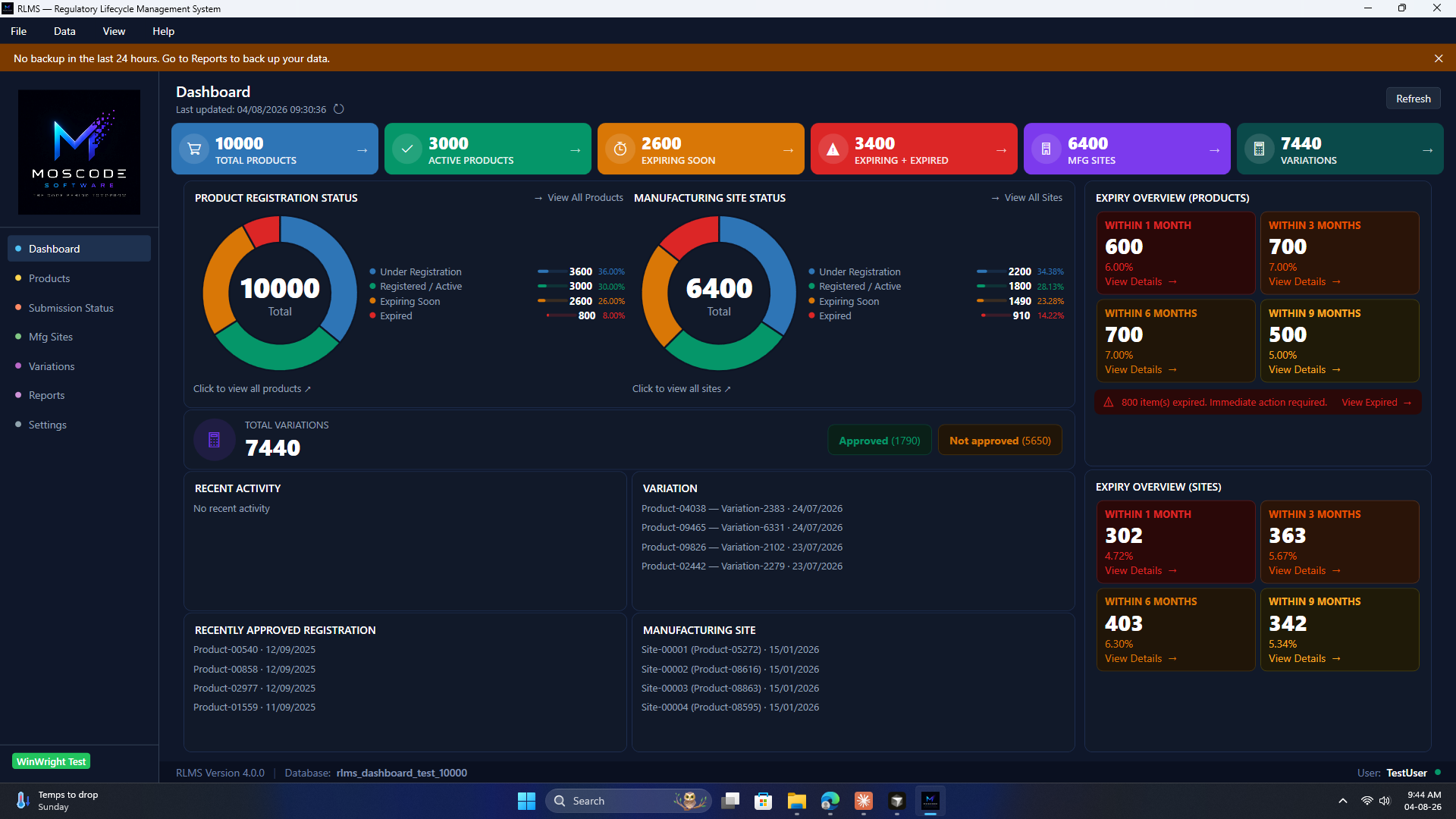
1 · DashboardPortfolio KPIs · charts · expiry · activity
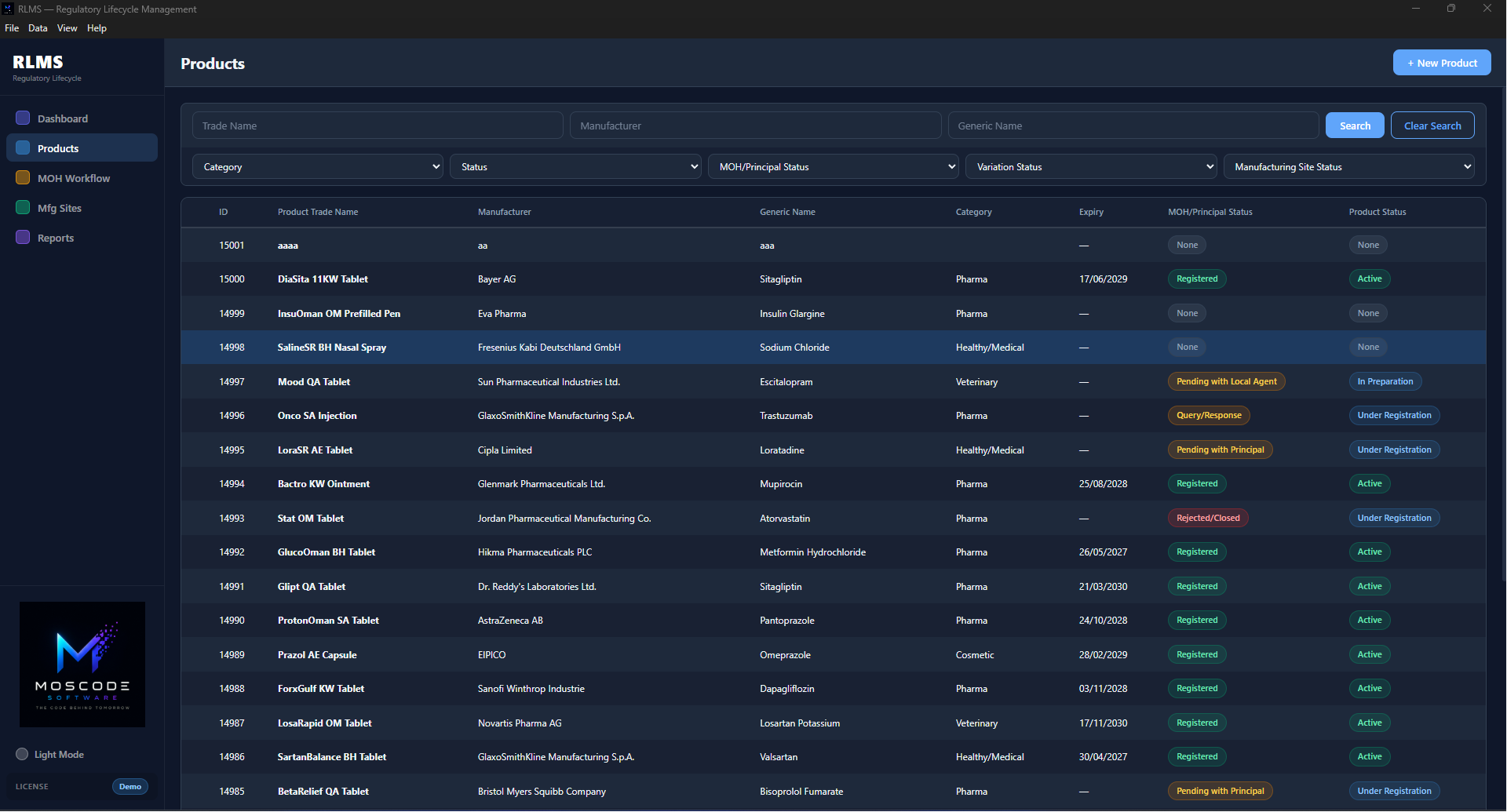
2 · ProductsFull product list · search · status filters
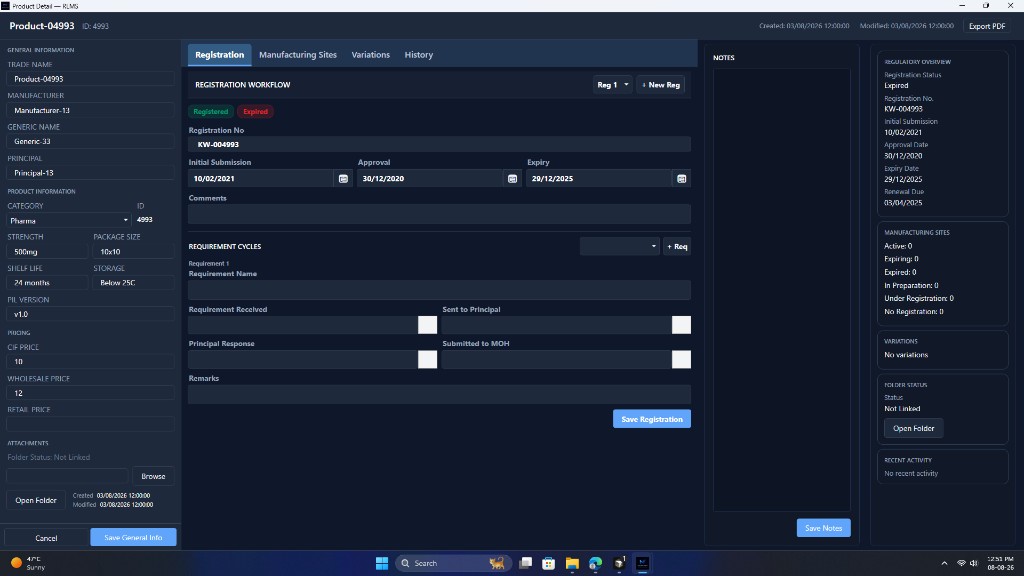
3 · Product windowOpen a product · registration workflow
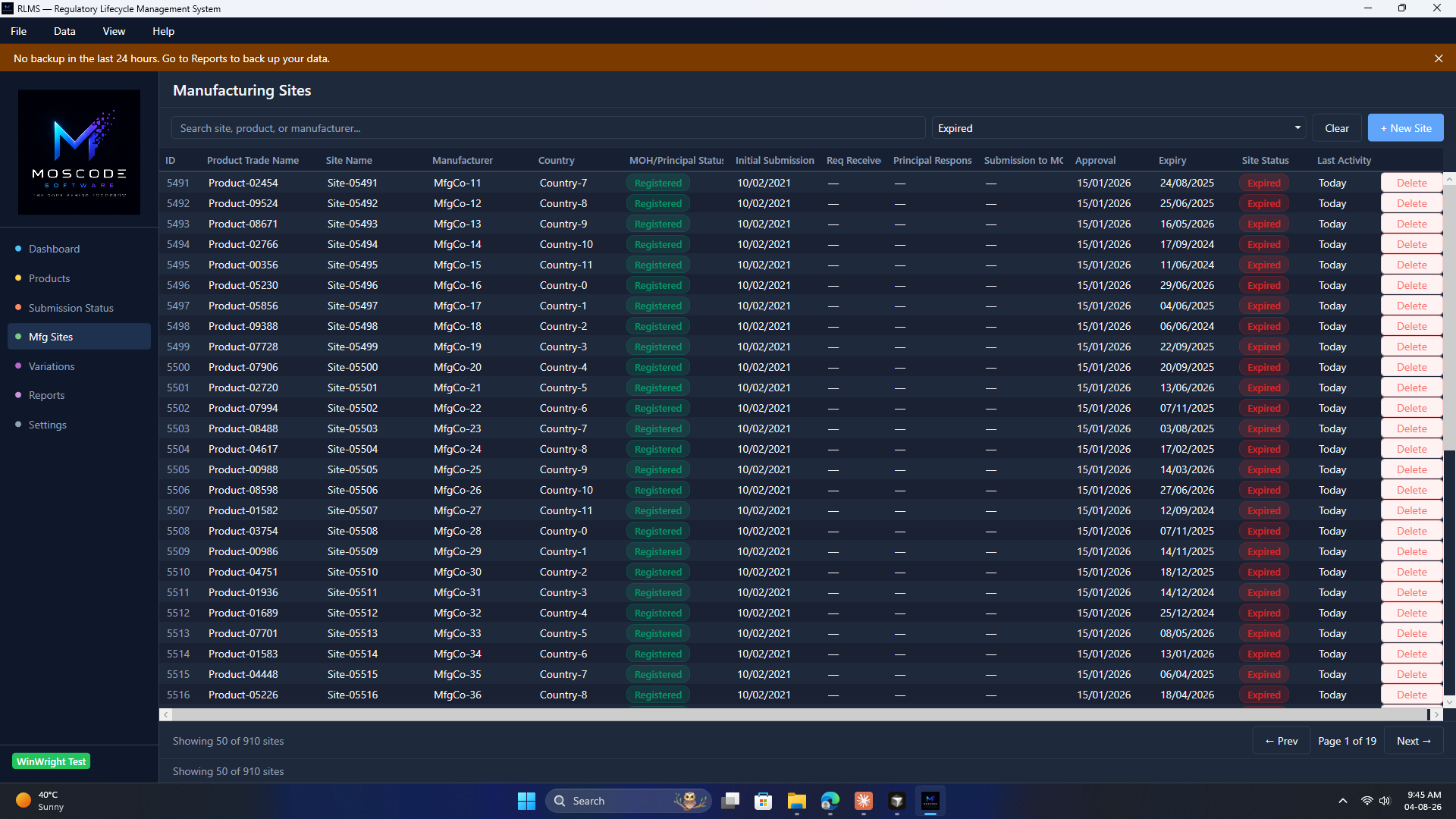
4 · Manufacturing sitesSite list · MOH pipeline · site expiry
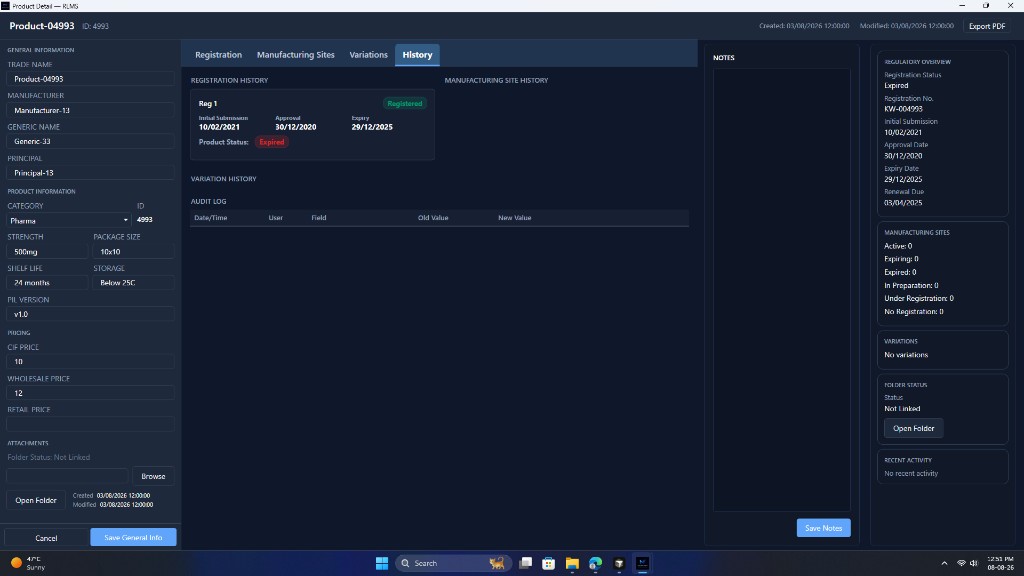
5 · Product history popupRegistration trail · audit log
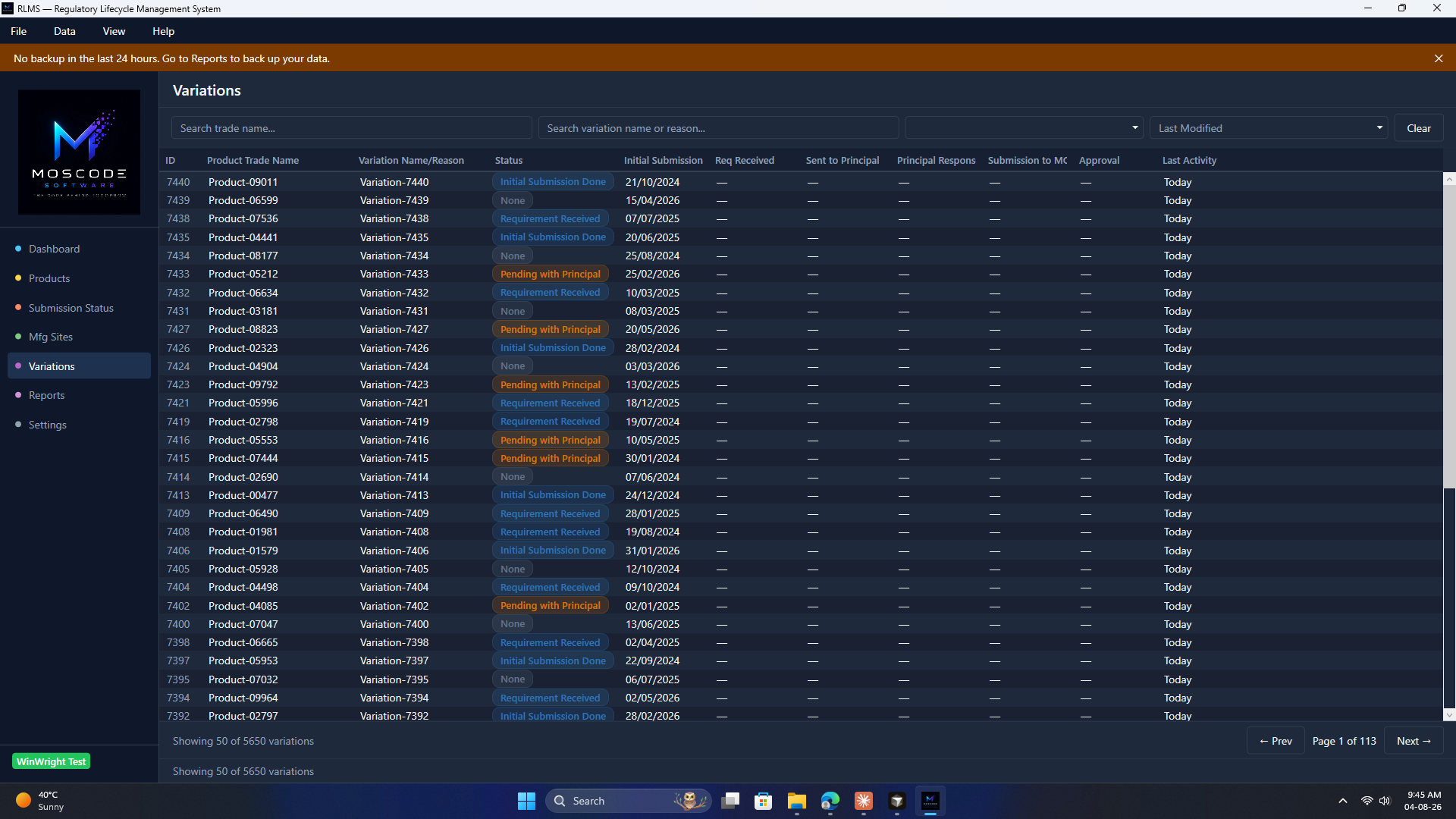
6 · VariationsEvery change request · end to end
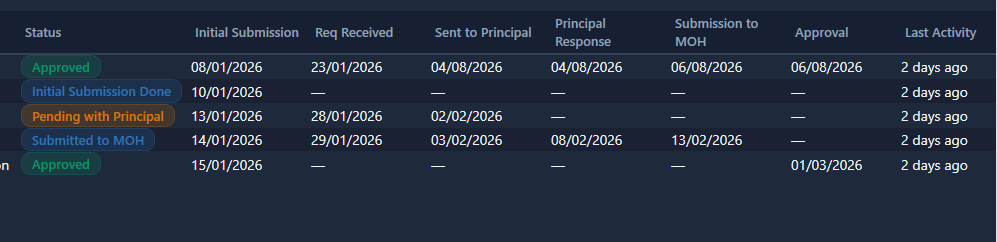
7 · Variation timelineApproved · Pending · Submitted to MOH
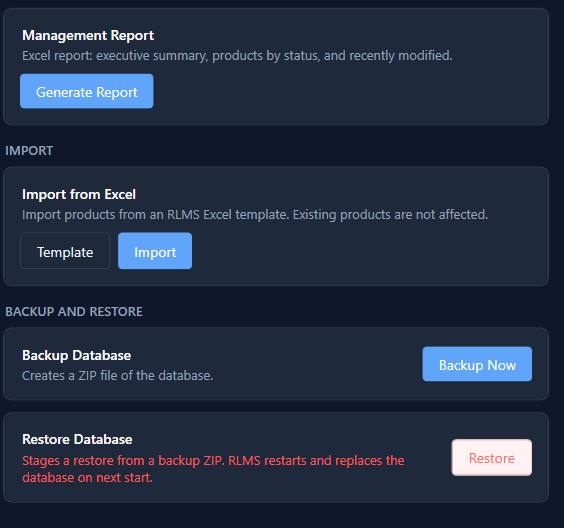
8 · Reports & backupExcel reports · Import · Restore
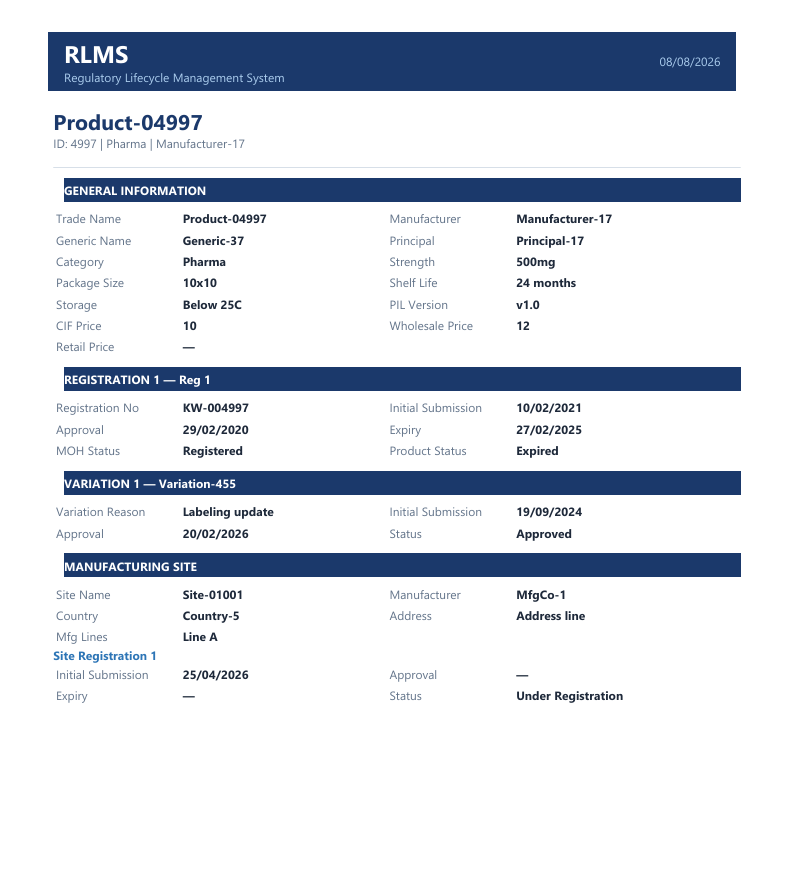
9 · PDF exportBoard-ready product dossier
01 / 10
Numbers that don't wait for spreadsheets
0
Expired (sample)
0
Mfg sites
0
Variations
Spreadsheets wear people down
Scattered files. Missed expirations. Audit panic. No trail. The worry follows you home.
Centralize · Automate · Report · Audit
Windows desktop. Local database. You own your data.
Still wondering by evening
- Open 3–4 spreadsheets for expiry
- Report request → dig by hand
- Audit becomes hours of panic
- Go home unsure what lapsed
Same day. Far less effort.
- Dashboard already flagged expiry
- Status report in one click
- Audit export in seconds
- Go home knowing the state
Peace of mind is the product
- Hours back every week
- Nothing falls through cracks
- Full accountability trail
- Built for MOH workflows
Old way
- Many spreadsheets
- Manual expiry checks
- Hand-built audit packs
- No change history
With RLMS
- One linked record
- 9/6/3/1 month countdowns
- One-click exports
- Full activity log
Products · Sites · Variations
Nothing lives in isolation. Sites and variations stay linked to the parent product. Filter expired certificates in one view.
Things to plan for
Honest desktop reality — so rollout isn't a surprise.
🖥️ Desktop-first
Windows app today — not mobile or web.
📁 Shared access
Network folder or cloud-synced drive, once.
🔄 Sync delay
Seconds on LAN; up to a minute on cloud.
🔒 Edit lock
One editor per product — keeps data safe.
Apps
Other MOSCODE software you can use today.
Book Your Demo
See RLMS live on Windows — 30 minutes, tailored to you. Or try the browser test app (TestUser / Demo@2026).
We reply within 24 hours.